Program the performance monitor for an exact single-distance piece from a stationary flywheel and record both your damper setting and displayed drag factor before the first stroke. Starting from Just Row generally makes the piece unacceptable for Concept2 Rankings because the distance or time must be exact.
This 2k erg test protocol covers monitor setup, split and watts conversion formulas, damper and drag factor logging, race pacing, and result verification. Recording your monitor configuration, segment splits, and drag factor allows you to compare two test pieces under consistent conditions.
| Protocol Check Stage | Monitor or Equipment Parameter | Operational Requirement |
|---|---|---|
| Pre-test workout selection | Standard List or Single Distance | The PM5 is pre-programmed with five standard workouts on the Standard List (Select Workout > Standard List), including 2000m as a set distance of 2000 meters. |
| Split length configuration | Default segment length | In general, performance monitors break a workout into fifths (1/5 of a workout), with exceptions where splits for 2000m workouts are set at 500m. |
| Flywheel start condition | Stationary flywheel start | All Concept2 ranking pieces must be single distance or timed pieces (no interval pieces) started from a non-moving flywheel; accelerated starts from moving flywheels during intervals are not accepted. |
| Resistance verification | Damper lever and drag factor | To view drag factor on the PM, on the Main Menu select More Options, select Display Drag Factor, and begin rowing, skiing or riding; the PM displays the drag factor after a few seconds. |
| Result verification | Monitor code or digital upload | The PM3, PM4 and PM5 monitors generate a 16-digit verification code for each piece based on workout date, distance and duration. |
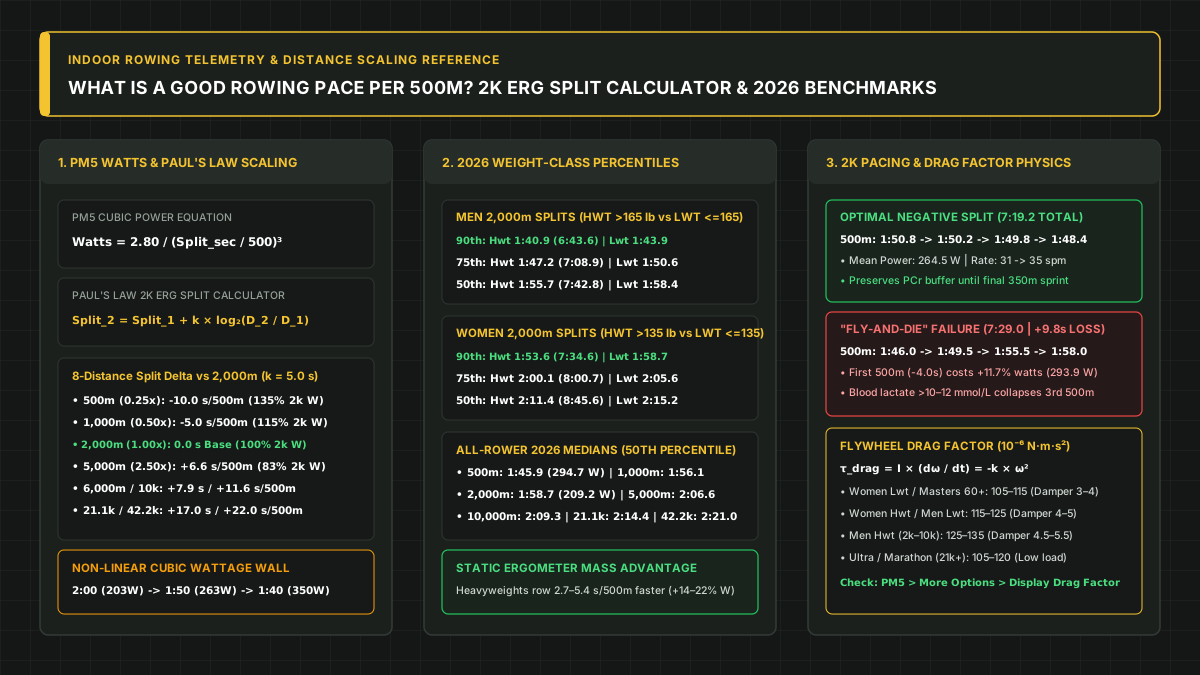
For percentile comparisons across distances and weight categories once your piece is logged, see our good rowing pace per 500m by distance guide.
Set Up the Performance Monitor for an Exact Piece
Configure a single-distance workout on the monitor before picking up the handle so the machine counts down to zero and stores segment splits. The Performance Monitor displays workout results as a final result for the total distance or time, and as segments along the way called splits.
Follow this setup sequence before starting your test:
- Select the preset workout: The PM5 is pre-programmed with five standard workouts on the Standard List (Select Workout > Standard List), including 2000m as a set distance of 2000 meters.
- Or program a custom single distance: To set up a Single Distance workout on the PM5, choose Select Workout > New Workout > Single Distance, then set the workout distance, split length, and PaceBoat/PaceSkier.
- Confirm the display units: In the Instructor Manual’s 2000-meter time trial lesson, monitor setup sets the damper at 3, sets work distance for 2000 meters, and sets the Performance Monitor to display Pace and Average Pace.
- Verify the split interval: In general, performance monitors break a workout into fifths (1/5 of a workout), with exceptions where splits for 2000m workouts are set at 500m. Splits for a marathon (42,195m) are set at 2000m, and users can also set their own split when setting up a new workout.
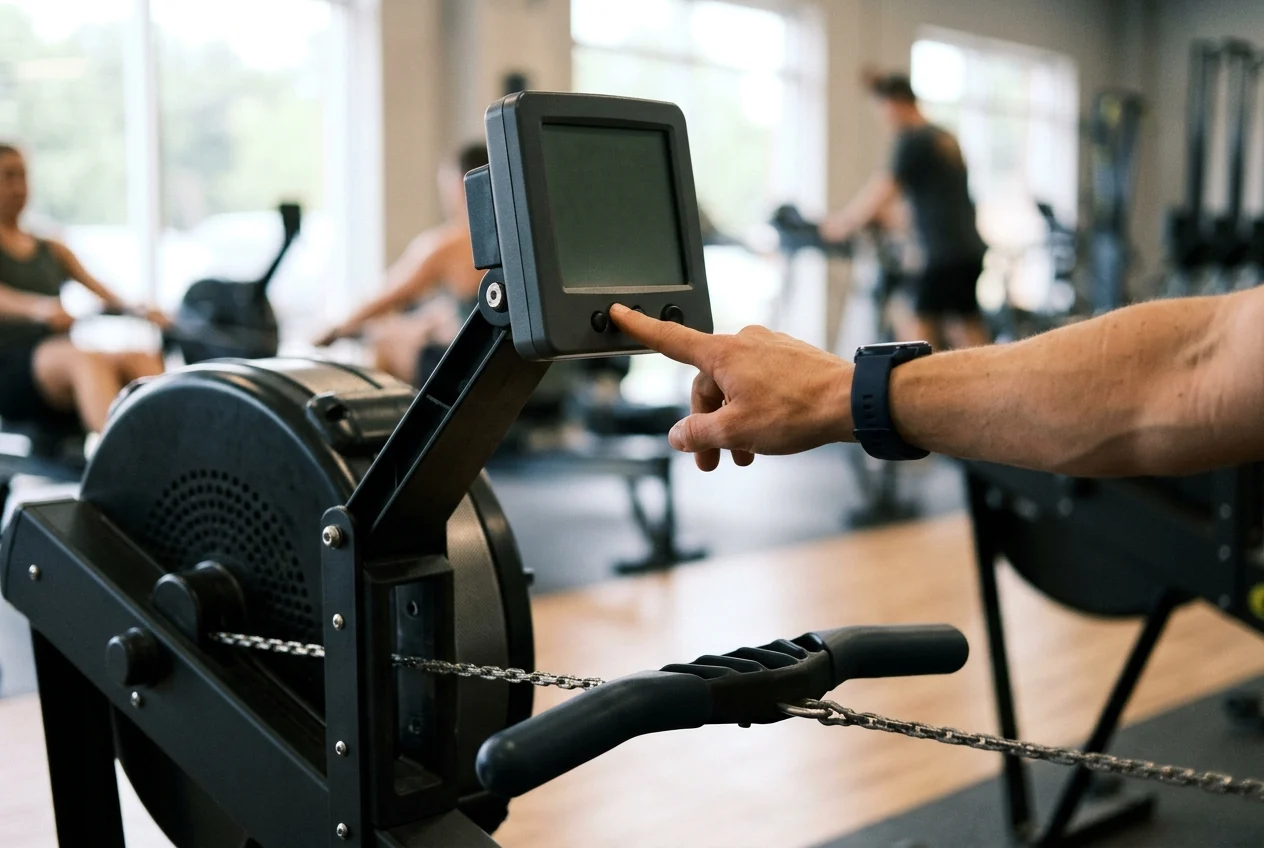
Avoid using interval mode or an open row screen when running a formal test. Splits apply to single distance or single time workouts; interval workouts are not formatted to utilize splits. When doing a single distance piece, the monitor counts down from the number of meters programmed and displays the time to the tenth of a second at the finish.
Stopping before the countdown reaches zero also changes how the monitor saves the piece. When a single distance workout is ended early (early termination), the monitor stores it as a Just Row/Ski workout. Just Row/Ski workouts are stored with five minute splits, for a maximum of seven splits to save space. Generally Just Row/Ski/Ride pieces are not acceptable for Concept2 Rankings because the distance or time must be exact to meet category requirements.
For formal competitions, wait for the starter with the handle down until the flywheel stops spinning. All Concept2 ranking pieces must be single distance or timed pieces (no interval pieces) started from a non-moving flywheel; accelerated starts from moving flywheels during intervals are not accepted. Under World Rowing Bye-laws to Rule ROI 26, unless otherwise specified in the Competition Notice, the start commands are STOP ROWING, SIT READY, ATTENTION, and ROW or GO.
Convert Finish Time, Split Pace, and Watts
Use the monitor’s linear split equations and cubic power formula to check how each segment pace determines your total time and average watts. On the Performance Monitor sample display, s/m is strokes per minute, Pace (time/500m) shows current pace, and Average pace (in time) per 500m is the average for the entire workout. At any time during a workout or when viewing results, pressing Units or Change Units changes the displayed units from pace to Calories or watts.
The Concept2 Pace Calculator and Watts Calculator define the exact mathematical relationships between distance, split pace, finish time, and average power:
- Distance from time and split: In the Concept2 Pace Calculator, distance is calculated from cumulative time and 500m split as
distance = (time/split) * 500. - Split from time and distance: The 500m split is calculated from cumulative time and distance as
split = 500 * (time/distance). - Cumulative time from split and distance: Cumulative time is calculated from 500m split and distance as
time = split * (distance/500). - Average watts from split: Average power in watts is calculated from the 500m split using
watts = 2.8/(split/500)³. - Cubic pace-to-watts relationship: In the Concept2 Watts Calculator formulas, 2.80 is a constant used in
watts = 2.80/pace³andpace = ³√(2.80/watts), where pace is time in seconds over distance in meters.
Concept2 provides worked calculation examples for both time and watts:
- Worked time calculation: Entering a distance of 2000 and a 500m split of 1:50 returns a time of 7:20.
- Worked watts calculation (step one): A 2:05/500m split equals 125 seconds per 500 meters, or a 0.25 pace.
- Worked watts calculation (step two): At a 0.25 pace, watts are calculated as
(2.80/0.25 ^ 3)or(2.80/0.015625), which equals 179.2.
In the Instructor Manual’s 2000-meter lesson, 2000 meters takes anywhere from 6 minutes (for an Olympic hopeful) to 12 minutes.
Record Damper Setting and Drag Factor Before Testing
Log both the flywheel damper lever position and the monitor’s displayed drag factor before your test piece so you can reproduce the same feel on any machine. The damper is the lever on the side of the flywheel housing (fan cage) that can be set to a value from 1–10 to control how much air flows into the cage. Damper setting is similar to bicycle gearing: it affects how it feels but does not directly affect the resistance. At a damper setting of 1–4, the indoor rower feels like a sleek racing shell; at the higher numbers, the indoor rower feels like a slow rowboat.
Between each stroke, the PM measures how much the flywheel is slowing down; this rate of deceleration is called the drag factor. On the next stroke, the PM uses the drag factor to determine from flywheel speed how much work you are doing, calculating true effort regardless of damper setting. However, a damper setting of 3 on a home machine may feel like 4 on a gym machine because air temperature, elevation, and lint in the flywheel housing affect drag factor.
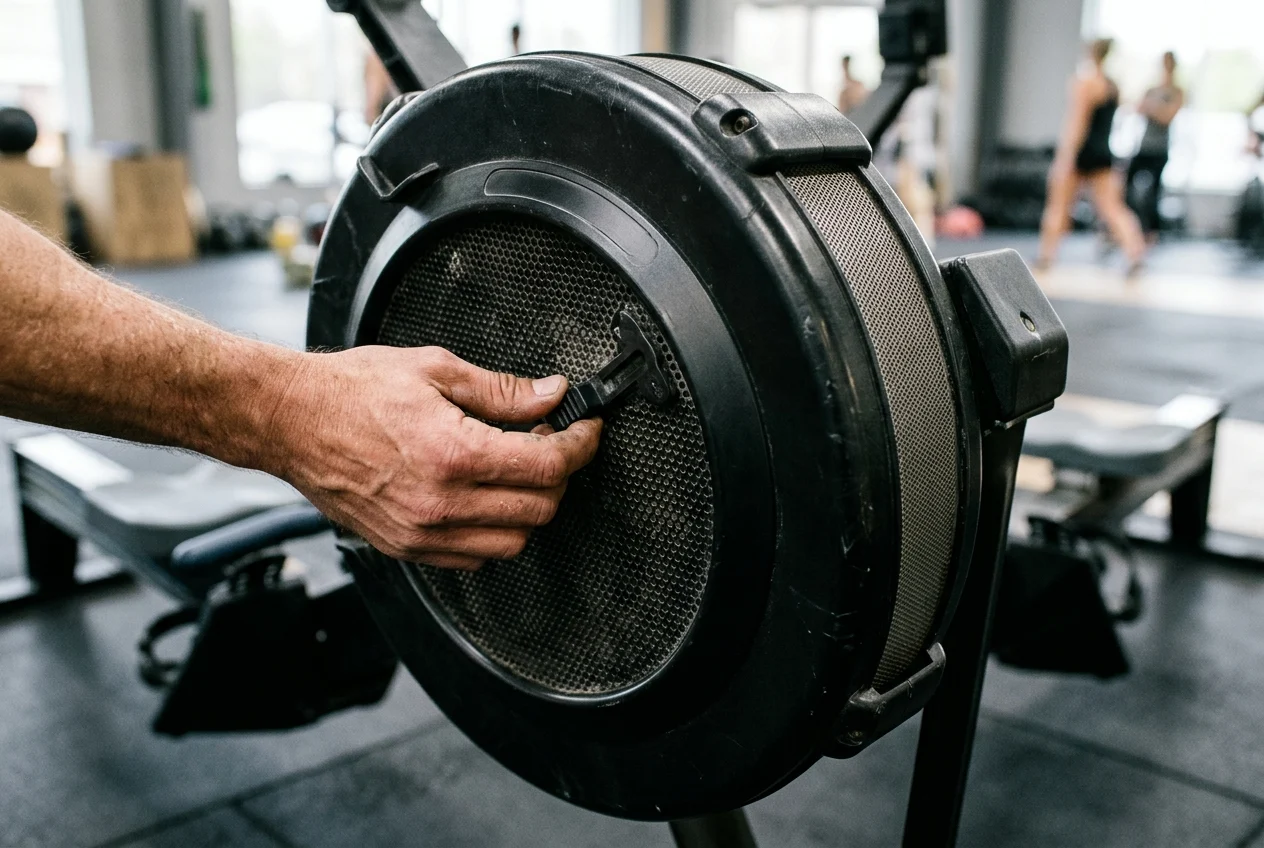
To view drag factor on the PM, on the Main Menu select More Options, select Display Drag Factor, and begin rowing, skiing or riding; the PM displays the drag factor after a few seconds. Concept2’s drag factor ranges for new ergs assume that the machines are at sea level, as elevation has a large impact on air density and therefore drag factor:
- Brand-new RowErg at damper minimum: A brand new RowErg will have a drag factor of 90 or less at a damper setting of 1.
- Brand-new RowErg at damper maximum: A brand new RowErg will have a drag factor of 200 or more at a damper setting of 10.
- Brand-new SkiErg bounds: A brand new SkiErg will have a drag factor of 55 or less at a damper setting of 1 and 150 or more at a damper setting of 10.
- Brand-new BikeErg bounds: A brand new BikeErg will have a drag factor of 45 or less at a damper setting of 1 and 225 or more at a damper setting of 10.
On the RowErg, Concept2 recommends starting with a damper setting between 3 and 5, noting this is the damper setting most records are set at. Concept2 recommends a damper setting of 3-5 for most workouts, stating that a damper setting of 3 is most appropriate for longer workouts and 5 is most appropriate for shorter workouts. Concept2 recommends changing damper settings only during rest intervals and states that the damper setting should not be changed during a single time or single distance workout.
In published athlete interviews, competitive rowers report logging specific drag factors rather than relying on the damper number alone:
- Eric Murray: Olympic champion Eric Murray stated he always used a 130 drag on the Concept2 Indoor Rower for trials, training, his long distance World Records, and his 2k (2000 meter) pieces.
- Caryn Davies: Olympic champion Caryn Davies stated her drag factor is around 125, which usually works out to a damper setting around 4, and that she always uses drag factor to set up the machine. Caryn Davies recommended using a damper setting that sets the drag around 120-135 depending on how big and strong the athlete is, and testing using the same setting used in training.
- Gevvie Stone: Olympic silver medalist Gevvie Stone stated she looks for a drag of about 112 (usually around damper 3), going up to 115 for low-rate capped pieces at 24 and below.
- Oliver Zeidler: World Champion Oliver Zeidler stated that in Germany they usually do their tests on a 145 drag factor, using a higher drag factor in training than for regular tests.
Execute a 2k Erg Test Strategy and Check Your Splits
Anchor your 2k erg test strategy to a sustainable opening pace, then step down your split across the second half and verify all segment readings in monitor memory. The Instructor Manual glossary defines Race Pace as the effort you could maintain for an entire race distance, noting that your race pace for 500 meters will be quite different from your race pace for 2000 meters.
Concept2’s Instructor Manual sets out two pacing rules for racing the full distance:
- Opening discipline: The Instructor Manual advises not allowing momentary excitement to take you out of your pace, particularly at the start of the race.
- Second-half progression: For racing 2000 meters, the Instructor Manual advises finding a sustainable pace over the 2000 meters, then trying to reduce the pace by .5-1.5 seconds each 250 meters approaching the last 1000 meters.
To keep stroke mechanics consistent while executing this pacing plan, review our indoor rowing catch, drive, finish, and recovery form guide.

After crossing the finish, retrieve your segment breakdown directly from the monitor so no split is lost:
- Automatic memory storage: Just Row workouts longer than one minute or longer than 100 meters and preset workouts are saved to the PM automatically, and the PM5 stores over 1000 workouts in memory.
- Memory menu path: To view workouts in PM Memory, on the Main Menu select Memory and choose List by Date or List by Type.
Complete the Distance and Resistance Test Logsheet
Record machine category, weight classification, verification status, and split data together so your test record matches official ranking and racing rules. For distance pieces on the RowErg and SkiErg, Concept2 Online Ranking includes 100k (team event), Marathon (42,195m), half-marathon (21,097m), 10k, 6k, 5k, 2k, 1k, 500m and 100m, and pieces must match one of the distances or times exactly.
When logging a piece for seasonal rankings or official record attempts, check these classification and verification rules:
- Ranking season window: On May 1 of each year, Concept2 rolls over the online ranking so the number of ranked pieces starts at zero every May and grows until April 30 of the next year.
- Percentile benchmarks in Rankings: An Online Ranking search displays a summary box that lists the times for the 90th, 75th, 50th and 25th percentiles for the selected age group, gender and weight class.
- Monitor verification code: The PM3, PM4 and PM5 monitors generate a 16-digit verification code for each piece based on workout date, distance and duration.
- Direct app or utility upload: There is no need to enter a verification code in the Online Rankings when uploading results using the Concept2 Utility or ErgData app, as those pieces are considered verified automatically.
- Machine record categories: Concept2 RowErg records are separated by machine type: static indoor rower, RowErg with Slides, and the Dynamic RowErg.
- Sanctioned event rule for static records: All static indoor rower 2000 meter record times must be rowed at a Concept2 sanctioned indoor rowing event with witnesses present.
- Concept2 women’s weight classes: For RowErg workouts and records, Lightweight Women is at or under 135lbs (61.5kg) and Heavyweight Women is over 135 lbs (61.6kg).
- Concept2 men’s weight classes: For RowErg workouts and records, Lightweight Men is at or under 165lbs (75kg) and Heavyweight Men is over 165lbs (75kg).
- Lightweight weigh-in window: Under Concept2 Individual Record Requirements, lightweights must be weighed in no earlier than two hours before their race.
- World Rowing international lightweight limits: Under World Rowing Rule ROI 10 for in-person and hybrid international indoor rowing competitions, a competitor in a lightweight men’s event may not weigh more than 75.0 kgs, and a lightweight women’s competitor may not weigh more than 61.5 kgs.
Use the protocol table below as your standard post-test recording sheet:
| Logsheet Field | What to Record From the Session | Official Rule or Monitor Behavior |
|---|---|---|
| Machine type | Static, Slides, or Dynamic unit | Concept2 RowErg records are separated by machine type: static indoor rower, RowErg with Slides, and the Dynamic RowErg. |
| Countdown timing | Programmed distance and finish time | When doing a single distance piece, the monitor counts down from the number of meters programmed and displays the time to the tenth of a second at the finish. |
| Venue conditions | Damper lever and displayed drag factor | A damper setting of 3 on a home machine may feel like 4 on a gym machine because air temperature, elevation, and lint in the flywheel housing affect drag factor. |
| Pace and stroke rate | Current pace, average pace, and stroke rate | On the Performance Monitor sample display, s/m is strokes per minute, Pace (time/500m) shows current pace, and Average pace (in time) per 500m is the average for the entire workout. |
| Stored memory entry | Saved workout in monitor memory | To view workouts in PM Memory, on the Main Menu select Memory and choose List by Date or List by Type. |
| Lightweight weigh-in | Pre-race scale timing | Under Concept2 Individual Record Requirements, lightweights must be weighed in no earlier than two hours before their race. |
For step-by-step instructions on submitting verification codes or witness packets, read our guide to verifying indoor rowing results, or return to our indoor rowing and endurance challenge blog for more event planning resources.
Sources
- Concept2 — Pace Calculator
- Concept2 — Watts Calculator
- Concept2 — How To Use Your PM5
- Concept2 — All About Damper Setting and Drag Factor
- Concept2 — What is the Best Damper Setting for Me?
- Concept2 — What Damper Setting Should I Use?
- Concept2 — The Damper and Drag of Olympians
- Concept2 — Rowing World Champion Oliver Zeidler Sets His Sights on WRICH
- Concept2 — Indoor Rowing Foundations Manual
- Concept2 Online Logbook — Logbook and Ranking Help/FAQs
- Concept2 — Using the Online Ranking as a Training Tool
- Concept2 — Records
- Concept2 — Record Requirements for Individuals
- World Rowing — Rules of Indoor Racing