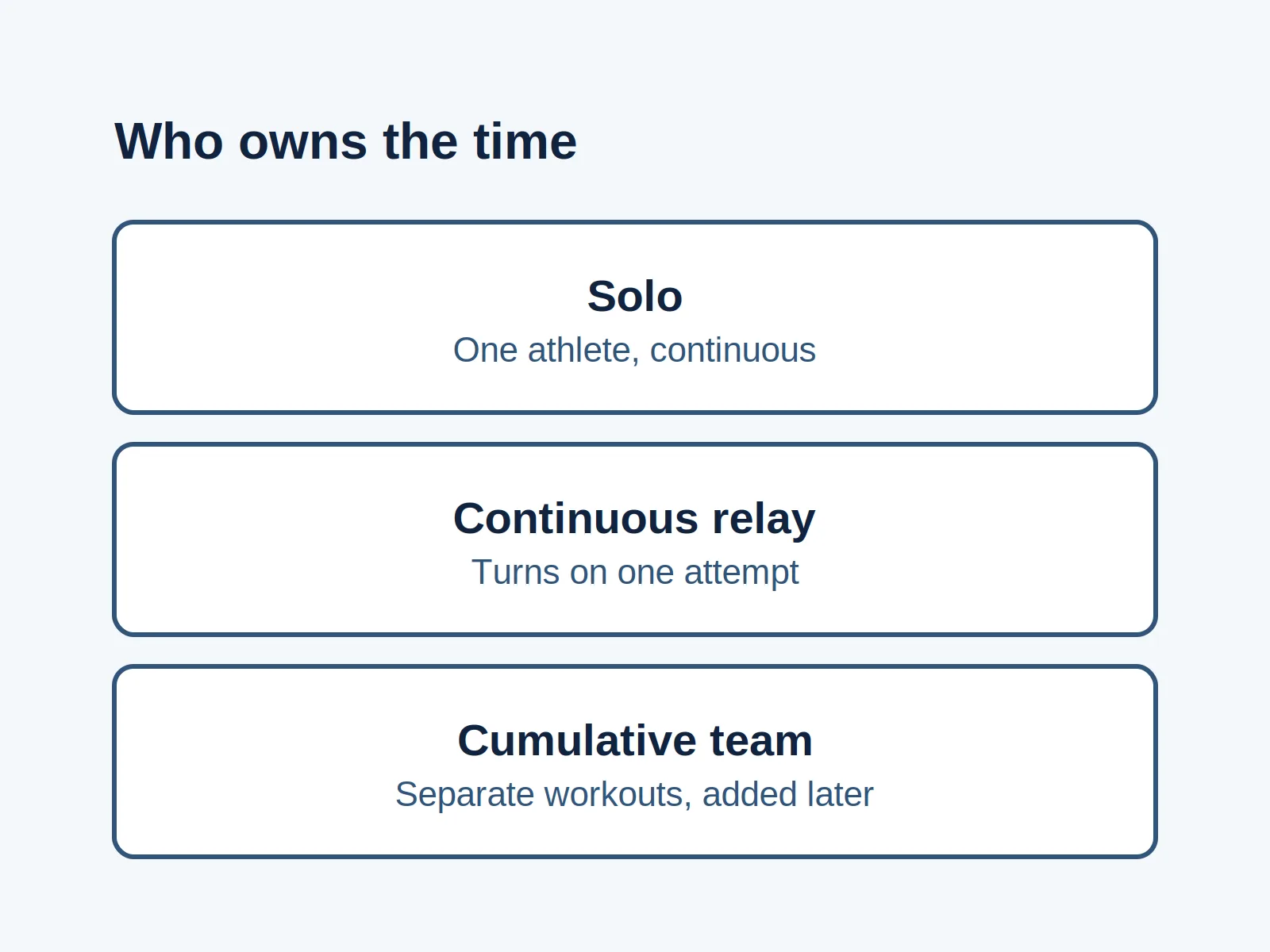
A BikeErg total copied straight off the monitor fails the Skeleton Crew comparison, because those meters count as half. RowErg and SkiErg meters count as logged.
RowErg and SkiErg meters count in full toward the Skeleton Crew Challenge, and BikeErg meters count as half. Add those effective meters for workouts dated October 25 through October 31. The Skeleton Crew page, rechecked on October 12, 2026, says to row, ski, or ride at least 31,000 meters in that window. Kids aged 16 and under participate at 10,000 meters. Adaptive athletes choose the 10,000 meter line or the 31,000 meter line. There is no signup. Meters must be entered online. That page does not state a late-entry deadline. Every table below is an editorial arrangement of those rules. Every worked number is a hypothetical input, not a logged result and not a daily plan.
This worksheet covers the Skeleton Crew Challenge only. It does not set a training load, and this site does not organize the event. When a workout is already in the online logbook and the open question is why a name is missing from a board, use the board check for logged meters. The other notes are on the challenge blog.
Quick specs
| Item | What the source says | Why it changes the count |
|---|---|---|
| Window | October 25 to October 31. Rechecked October 12, 2026. The 2026 Challenge Calendar still lists it under Upcoming Challenges | The diary uses these seven dates |
| Standard line | Row, ski, or ride at least 31,000 meters | Compare effective meters with 31,000 |
| BikeErg | “counted as half when applied to the challenge” | Divide BikeErg raw meters by 2 before the comparison |
| RowErg and SkiErg | Named with BikeErg as machines you can combine. The half note is attached to BikeErg | Leave those raw meters as logged |
| Machines | Concept2 RowErg, SkiErg, and BikeErg only. The page asks for no on-water or on-snow meters | Other distances stay off this sheet |
| Lower line | Kids aged 16 and under at 10,000 meters. Adaptive athletes choose 10,000 or 31,000 | Pick the line the page assigns before you compare |
| Signup | Individual challenge. No signup. No team required. Anyone with an online logbook at concept2.com | There is no join step for this event |
| Online entry | “Meters must be entered online.” The Logbook FAQ names the Log page, ErgData, or the Concept2 Utility | The paper total is not yet the logbook entry |
| Late entry | The Skeleton Crew page does not state one | Keep the Fall Team Challenge clock off this sheet |
Leave RowErg and SkiErg whole
The Details section, rechecked on October 12, 2026, says to row, ski, or ride at least 31,000 meters between October 25 and October 31. The next note says BikeErg meters are counted as half when applied to the challenge. The same section says you can combine meters from each machine, and it names Concept2 RowErg, SkiErg, and BikeErg.
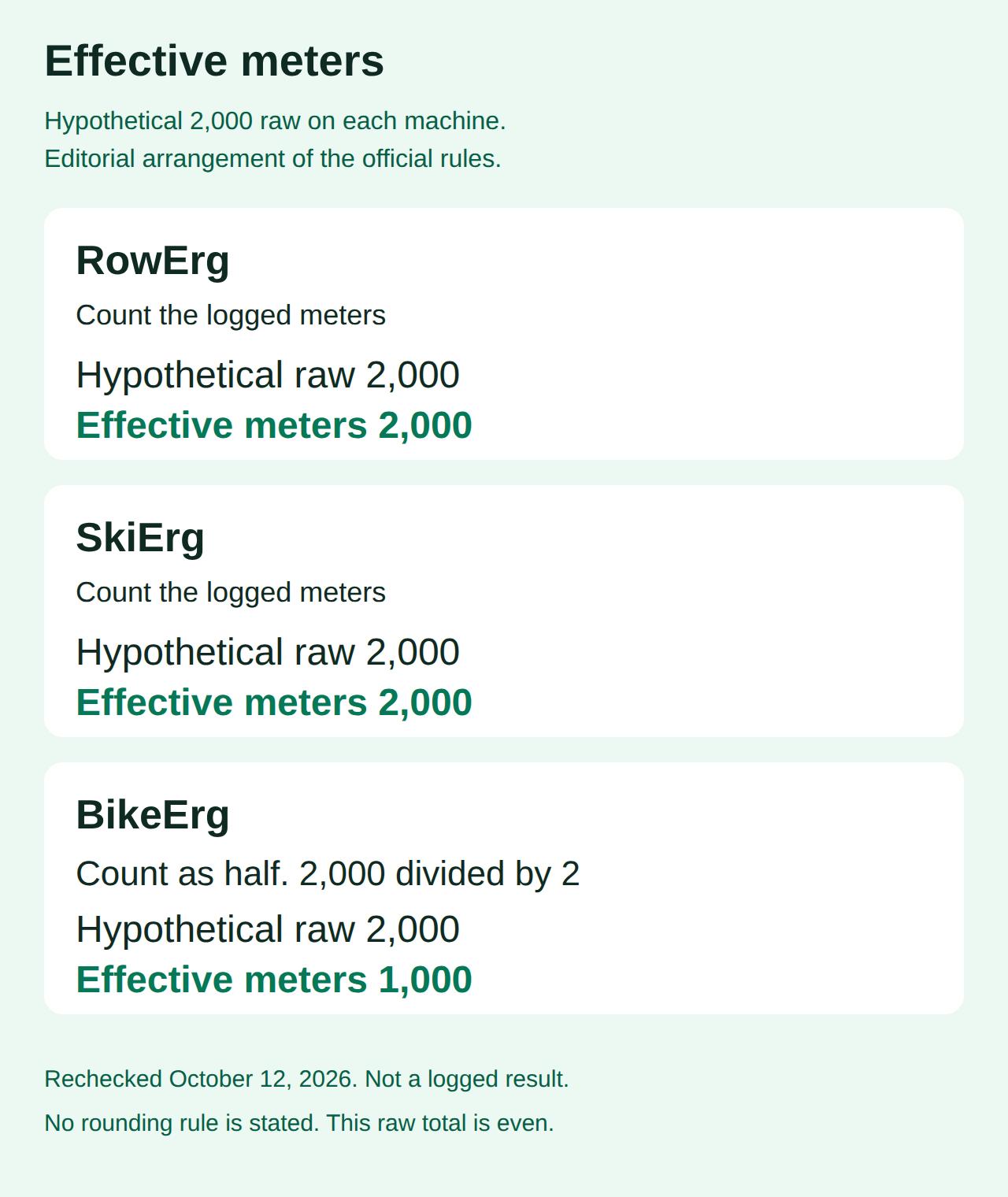
Effective meters are the figure you compare with 31,000 or with 10,000. For RowErg and SkiErg, that figure is the raw meters on the monitor. For BikeErg, it is half the raw meters. The page does not state a rounding rule for an odd BikeErg total. The rows below use an even hypothetical input so the half is a whole number of meters.
This table is an editorial arrangement of the official rules. The 2,000 meter raw column is a hypothetical input, chosen so the half is easy to see. It is not a required piece.
| Machine | Rule copied from the Details section | Hypothetical raw meters | Effective meters |
|---|---|---|---|
| RowErg | Count the logged meters. The half note names BikeErg | 2,000 | 2,000 |
| SkiErg | Count the logged meters. The half note names BikeErg | 2,000 | 2,000 |
| BikeErg | Counted as half | 2,000 | 1,000 |
The Challenges index, rechecked the same day, still says to row and/or ski at least 31,000 meters between October 25 and October 31, and it names the 10,000 meter level for adaptive athletes and juniors aged 16 and under. That index sentence does not mention the half-count. This worksheet follows the Details section, which includes the ride and the BikeErg note.
Common mistake: Adding the BikeErg number from the monitor straight into a 31,000 total. The Details note counts those meters as half.
Takeaway: Write the raw meters and the effective meters on separate lines before you add a day to the sheet.
Add one hypothetical mix of row, ski, and bike
These inputs are made up so the arithmetic can be checked in one place. They are not a person’s log. This table is an editorial arrangement of the official rules.
| Machine | Hypothetical raw meters | Effective meters |
|---|---|---|
| RowErg | 9,200 | 9,200 |
| SkiErg | 7,400 | 7,400 |
| BikeErg | 16,800 | 8,400 |
Half of 16,800 is 8,400. Then 9,200 + 7,400 + 8,400 = 25,000 effective meters. The raw numbers sum to 33,400. The half-count is what brings the challenge figure down to 25,000.
This next table is an editorial arrangement of the official rules, applied to that hypothetical total.
| Line on the Skeleton Crew page | What 25,000 effective meters means here |
|---|---|
| 10,000 meters, for kids aged 16 and under, or for an adaptive athlete who chose that line | 25,000 is above 10,000 |
| 31,000 meters, the standard line, or the line an adaptive athlete chose instead | 25,000 is 6,000 effective meters short of 31,000 |
The 6,000 meter gap is subtraction on these hypothetical inputs. It is not a workout to schedule.
Common mistake: Adding each monitor total in full. In this mix the raw sum is 33,400 and the effective total is 25,000.
Takeaway: Hold 25,000 against the line that applies to that person. On these inputs the mix clears 10,000 and misses 31,000.
Keep a seven-date record of raw and effective meters
The Skeleton Crew page names October 25 and October 31. The calendar dates inside that span are October 25, 26, 27, 28, 29, 30, and 31. The Challenges page, rechecked October 12, 2026, still lists the challenge on the 2026 Challenge Calendar under Upcoming Challenges. The workout-of-the-day line on that index was dated October 12, 2026. The Skeleton Crew page itself prints the month and the days, and it does not print a year on that line.
The sheet fills those seven dates with hypothetical inputs. The split is not a suggested daily load. The running total reaches 31,000 on the last row because the inputs were chosen to land there. This table is an editorial arrangement of the official rules.
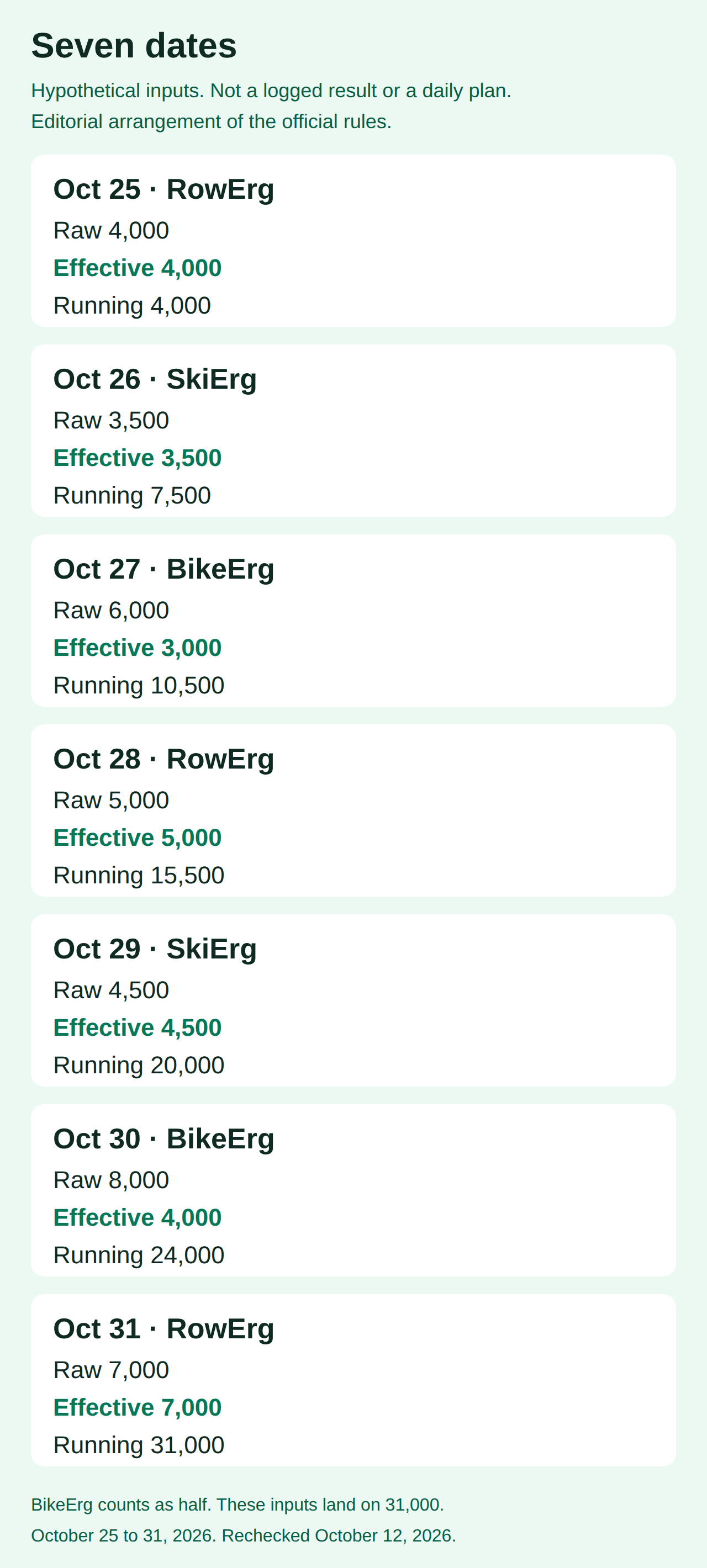
| Date | Machine | Hypothetical raw meters | Effective meters | Running effective total |
|---|---|---|---|---|
| 2026-10-25 | RowErg | 4,000 | 4,000 | 4,000 |
| 2026-10-26 | SkiErg | 3,500 | 3,500 | 7,500 |
| 2026-10-27 | BikeErg | 6,000 | 3,000 | 10,500 |
| 2026-10-28 | RowErg | 5,000 | 5,000 | 15,500 |
| 2026-10-29 | SkiErg | 4,500 | 4,500 | 20,000 |
| 2026-10-30 | BikeErg | 8,000 | 4,000 | 24,000 |
| 2026-10-31 | RowErg | 7,000 | 7,000 | 31,000 |
Half of 6,000 is 3,000, and half of 8,000 is 4,000. RowErg and SkiErg effective meters match the raw column. The running column adds effective meters only.
On this hypothetical sheet the RowErg effective meters are 4,000 + 5,000 + 7,000 = 16,000. The SkiErg effective meters are 3,500 + 4,500 = 8,000. The BikeErg effective meters are 3,000 + 4,000 = 7,000. Those three sums add to 31,000.
The running total passes 10,000 on October 27, at 10,500, and reaches 31,000 on October 31. A different set of inputs crosses those lines on different dates, or misses them. The page asks for a total across the window. It does not assign a meter target to each date.
Takeaway: Keep raw meters and effective meters in separate columns, and add only the effective column.
Check the line that applies, then enter the meters online
Copy the raw meters from the monitor onto paper before you apply the half-count. The scene below is the blank setup for that copy. It prints no total.
Who the page assigns to each line
This table is an editorial arrangement of the official rules.
| Who | Line in effective meters | Where the Skeleton Crew page says it |
|---|---|---|
| Anyone with an online logbook at concept2.com | 31,000 | Who Can Participate, together with the Details total |
| Kids aged 16 and under | 10,000 | “Kid’s Skeleton Crew Challenge allows kids (aged 16 and under) to participate at 10,000 meters.” |
| Adaptive athletes | 10,000 or 31,000, their choice | “Adaptive athletes can choose to participate at the 10,000 or 31,000 meter level.” |
The Details section says “aged 16 and under” and does not state a birthday cutoff. The Challenges index uses “juniors aged 16 and under” for the same 10,000 meter level. This worksheet adds no age rule of its own. It also adds no definition of adaptive beyond the choice the page already prints.
What to enter online
This checklist is an editorial arrangement of the official rules.
| Step | Write this down | Source, rechecked October 12, 2026 |
|---|---|---|
| 1 | An online logbook at concept2.com | Skeleton Crew, Who Can Participate |
| 2 | Each workout date is October 25, 26, 27, 28, 29, 30, or 31 | Skeleton Crew heading and Details |
| 3 | The machine is a Concept2 RowErg, SkiErg, or BikeErg | Details: those three meters only |
| 4 | On-water and on-snow distances stay off the sheet | Details parenthetical |
| 5 | Raw meters, copied from the monitor | Worksheet column, before the half-count |
| 6 | BikeErg effective meters equal raw meters divided by 2 | Details note |
| 7 | RowErg and SkiErg effective meters equal the raw meters | The half note names BikeErg |
| 8 | The effective sum beside 31,000, or beside 10,000 when that is the line the page assigns | Details, the Kid’s line, and the adaptive choice |
| 9 | The meters entered online | Details: “Meters must be entered online.” |
| 10 | No separate signup and no team join for this challenge | Details, and the Logbook FAQ on individual challenges |
The Logbook FAQ, rechecked the same day, says you do not have to sign up for individual challenges. Any results you enter or upload into the online logbook count toward the challenge. It names three ways to log meters: enter them manually on the Log page, sync them from apps such as ErgData, or upload them with the Concept2 Utility. The Skeleton Crew page requires an online entry and does not rank those three methods. Logging the raw BikeErg number still leaves the half-count in place when the result is applied to this challenge. This page stops at that choice of method. It does not open a monitor’s memory, switch a shared profile, or import a file.
The FAQ also says certificates are available for download for 30 days after the end of a challenge, on the Challenges page in the online logbook. That sentence is about the certificate file. The Skeleton Crew page does not turn it into a deadline for entering meters. Participants who meet the challenge can have a name on the Skeleton Crew honor boards and a downloadable certificate. The page also offers an optional purchase from Concept2’s third-party vendor, and it says availability varies by country. This site does not sell those goods and does not issue the certificate.
The same FAQ says that leaving “Appear on Honor Boards” unchecked still leaves the person eligible for certificates and prizes. The steps for that checkbox are on the board check for logged meters.
Common mistake: Borrowing the Fall Team Challenge entry clock for Skeleton Crew. The Skeleton Crew page rechecked on October 12, 2026 does not state a late-entry deadline.
Takeaway: Finish the effective-meter sum, then enter the workouts online by one of the three methods the FAQ names.
How this page was put together
On October 12, 2026 the live Skeleton Crew page and the live Challenges index were opened again. The Details section still showed October 25 to October 31, 31,000 meters, the BikeErg half-count, the 10,000 meter line for kids aged 16 and under, the adaptive choice of 10,000 or 31,000, no signup, online entry, and Concept2 RowErg, SkiErg, and BikeErg meters only, with no on-water or on-snow meters. No late-entry deadline was on that page. The Challenges index still placed the event under Upcoming Challenges on the 2026 Challenge Calendar. The index blurb still left out the BikeErg half-count, so the worksheet follows the Details section.
The Logbook FAQ was rechecked the same day for the individual-challenge signup answer, the three logging methods, the 30-day certificate download window, and the honor-board privacy note. An earlier save of the same three pages, read October 11, 2026, matched these sentences. The worked totals use only the hypothetical inputs printed in the tables.